Upload eyeInspect License Files
eyeInspect requires a valid license file. This file should be uploaded from the eyeInspect Command Center. Once a valid license is uploaded, all applicable functionality will be unlocked in the Command Center.
While the installation and upgrade can be done without the license file, for the final configuration within the Command Center, it is necessary to upload the license file.
Note: After the eyeInspect license expires,
eyeInspect enters a 45-day grace period. During this time, everything works normally
and data from sensors continues to be processed by the Command Center. Once the
grace period ends, the Command Center stops accepting new data from sensors (similar
to maintenance mode). Additionally, if the Command Center is rebooted after the
grace period, login will be disabled until a new license is applied. Data processed
during and before the grace period remains in the Command Center.
To upload the license file, do the following:
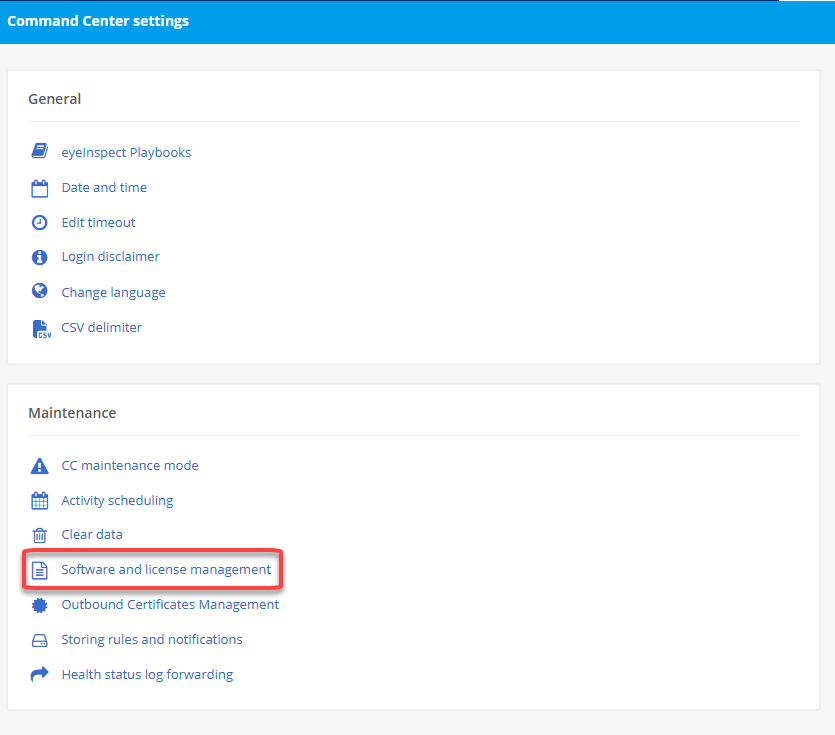
- Login go the Command Center and navigate to Settings > System Settings

- From the Maintenance section, select Software and license
management.
- From the top navigation bar, select Upload license > To Command Center

- From the Upload license to the Command Center dialog, select BROWSE...
to select the license file on your computer.
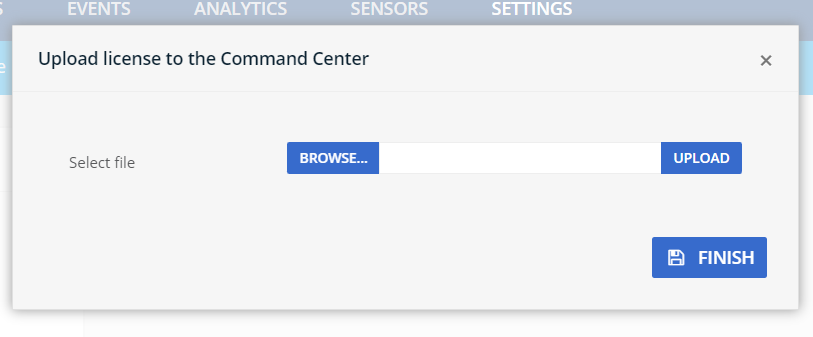
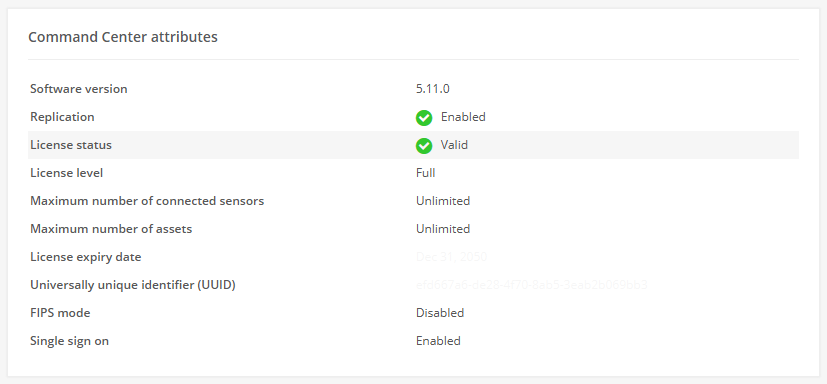
- Select UPLOAD to upload the license, and FINISH to save. The license
details can then be viewed on the Command Center.
 minute read