Managing Flexx Licenses in the
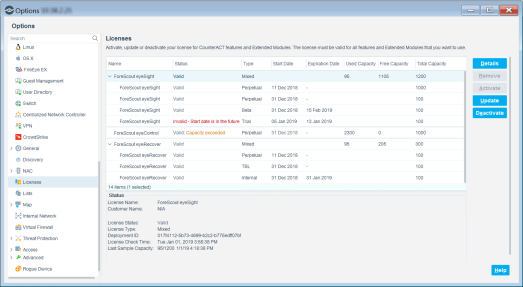
Use the to manage license activation, updates and deactivation, and to view information about endpoints detected by licensed products.
After an entitlement is available in the Forescout Customer Support Portal, a deployment administrator can manage license activity in the Console to ensure that all licenses are valid. See Administrator Roles for more information about roles and permissions.
- Activate a New License File
- Update the Existing License File
- Deactivate the License File
- View Endpoint Information
- Remove an Expired or Invalid License
 minute read