Detect new vulnerabilities and newly supported vendor applications
You can choose to automatically detect new Microsoft vulnerabilities and newly supported vendor applications on your network endpoints.
For example:
- When working with the Windows Applications > Cloud Storage Installed property in your policies, automatically detect any Cloud storage applications of newly supported vendors.
- When working with the Windows Security > Microsoft Vulnerabilities property in your policies, automatically detect new Microsoft published OS and Office vulnerabilities.
To detect new vulnerabilities and supported application vendors:
- Verify that you have installed the most current Windows Applications Plugin and the Windows Vulnerability DB. Refer to the relevant Forescout portal for information about new application and vulnerability detection support.
- Select the Microsoft Vulnerabilities property or a Windows application property that includes the Check new… option. For example:
Condition Example
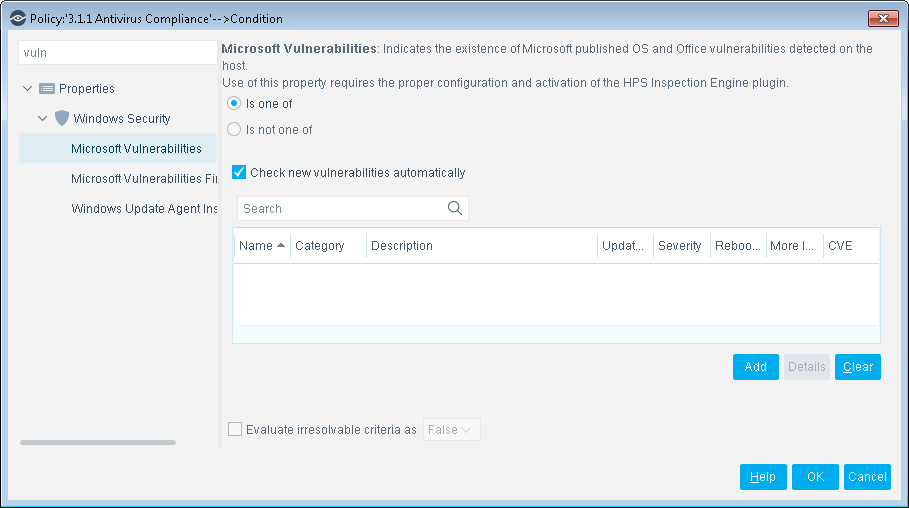
- Select Check new vulnerabilities automatically.
- Select OK. Refer to the Windows Applications Configuration Guide for a complete list of supported vendors. Select , select Windows Applications, and then select Help.
 minute read