Localize redirected web pages and messages
Some policy actions send web page messages and emails to endpoints. You can edit these messages or localize them so that they appear in any language your operating system supports.
The following message or end-user interaction pages can be localized:
- HTTP Notification
- Windows Self Remediation
- HTTP Login
- Start SecureConnector
- Default Email Messages
- Guest Management Portal
To localize text:
- Select , and then select . The table lists text strings that are displayed in various interactions between the eyeSight and a detected endpoint.
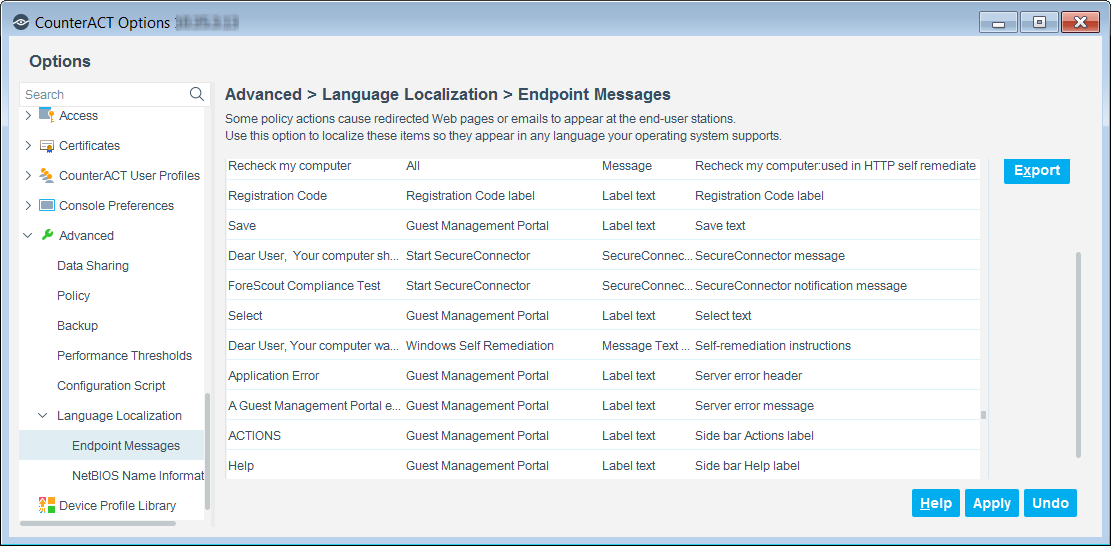
- In the search field of the Endpoint Messages pane, enter any portion of the text that you want to localize. The table displays all entries that include the portion of text, which you provided in the search field.
- Select a table entry and then select Edit, or double-click a table entry. The Edit Locale Text dialog box displays the text of the selected entry.
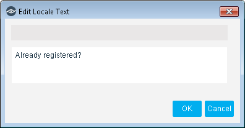
- Modify the text as needed.
- Select OK.
Select a table entry and then select Default to return to the default text. - Select Apply. Your configuration changes are saved.
 minute read