View license alerts
You can view license alerts in the Console. Select . Then select
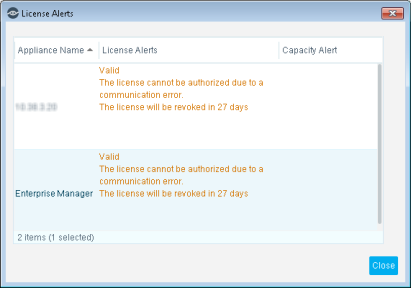
The License Alerts dialog box displays the following information:
Appliance Name
The device name.
License Alerts
All licenses that are near their expiration dates are listed in red.
Capacity Alert
Indicates violations in bandwidth utilization and endpoint capacity for the Appliance where the license is installed.
These alerts are displayed for informational purposes only, and no action is taken by Forescout if a violation occurs. Your Appliance, however, may not work as efficiently when capacity violations occur. See Appliance Endpoint Performance Capacity for details.
 minute read