View Forescout eyeSight failover status
You can view updated information about the status of failover clusters in the Failover Status table.
To view failover status information:
- Select .
- In the Options list, expand CounterACT Devices, and select Failover Status. The Failover Status Table appears.
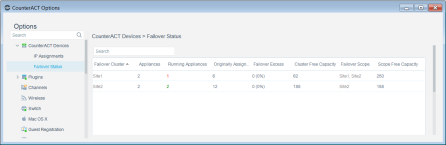
You can add or remove columns to view specific information. Right-click a column and select Remove Column.
 minute read