Access to Forescout eyeSight Network Endpoints – Scope
Use the Scope pane to grant and limit access to specific IP address ranges or segments in the Console or web portals. Users can only see or control the following Forescout features in the ranges or segments assigned to them:
- Policy Management
- Segment Management
- Group Management
- Organizational Units
- All tools listed in the Forescout Options window, with the exception of the Console Preferences folders
- Check for Updates
- Lists
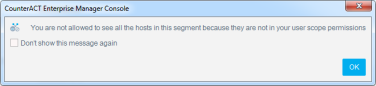
If a user’s scope does not include a particular segment, options for that segment are grayed out (disabled) and/or messages are displayed in toolbars or dialogs.

To allow users access to a specific range but limit their access to a specific feature, grant Scope access and then limit Permissions for that feature. For example, grant users permission to view the entire network range while restricting their access to Appliance configuration features.
To limit the Scope access:
 minute read