Reports
Clicking Reports on the main menu displays the Unified Reporting screen.
Here you can select from a list of AI-generated narrative reports that provide both industry-wide and account-specific analysis of a critical topic of interest. Here you can also see any dashboard reports that you have scheduled.
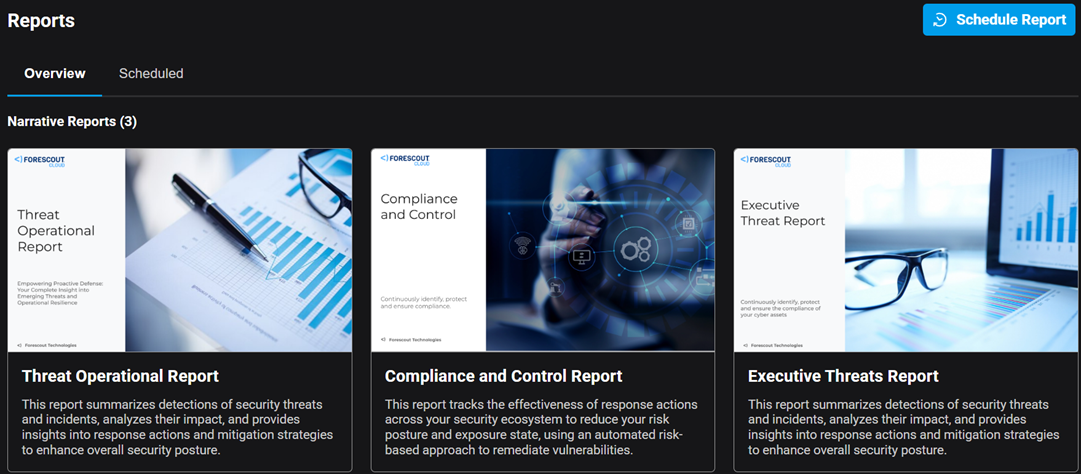
currently supports the following narrative reports, which are shown on the Overview tab:
- Threat Operational Report: This report summarizes detections of security threats and incidents, analyzes their impact, and provides insights into response actions and mitigation strategies to enhance overall security posture.
- Compliance and Control Report: The report summarizes the effectiveness of response actions across your security ecosystem to reduce your risk posture and exposure state, using an automated risk-based approach to remediate vulnerabilities.
- Executive Threats Report: This report summarizes detections
of security threats and incidents, analyzes their impact, and provides insights into
response actions and mitigation strategies to enhance overall security posture. The
report also analyzes the operational and strategic impact of these threats,
identifies recurring patterns, and outlines recommended response actions and
mitigation strategies. These insights support data-driven decision-making, helping
to strengthen incident response readiness and improve the organization’s overall
security posture.Note: To schedule the Compliance and Control report or the Executive Threats report, you must first enable the AI account setting (Account Settings > Features tab, Enable use of Forescout Generative AI).
Scheduled Reports
On the Overview tab, the widgets under Scheduled Reports summarize the scheduled Narrative and Dashboard reports that you have configured. They show the report title, frequency, number of recipients and content of the report.
Clicking View All or the Scheduling tab displays the full list of scheduled reports. Here you can view and modify the content and scheduling details of your various reports.