Test the Cloud Data Exchange Plugin

  1. After configuring the plugin, click Test to verify the Cloud Data Exchange plugin to Forescout Cloud connection. The Select Appliances dialog appears.
  2. Select the Appliances you wish to test and click OK.
  3. Confirm the plugin(s) to test by clicking Yes. If the test is successful the following message appears.
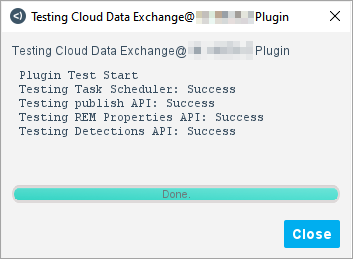
  4. Select Close.
The test may fail for the following reasons:
 
Invalid IP address Name or service not known. Test Failed.
Incorrect API key Internal error: FailedHttpResponse code-401. Test Failed.
The Cloud Data Exchange plugin is not running The connection cannot be tested because the Cloud Data Exchange plugin is not running on any eyeSight devices. Start the plugin on an eyeSight device and try again. Test Failed.
The Cloud instance is not responding is not responding. Please try again later. Test Failed.
Skipped No Deployment ID detected, check license. Test Failed.