Cisco PIX/ASA Access list Action
The module provides the Cisco PIX/ASA Access-list action. Use this action to add hosts, which match the conditions of a policy, to a network object group on PIX/ASA firewalls. The object group is referenced by a predefined access list.
Ensure that you have a valid Forescout license to use this action. For information about licensing information, consult your Forescout representative.
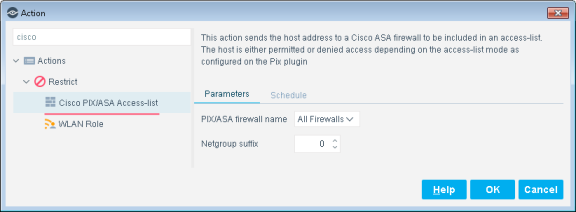
In the Parameters tab, define the following action options:
PIX/ASA firewall name
Specify the firewall on which the host is added to the network object group. Select All Firewalls to add the host on all firewalls defined in Forescout eyeSight .
Netgroup suffix
A numerical suffix that specifies the target network object group. This suffix is combined with the Network Group Name label configured for the module.
(Optional) In the Schedule tab, configure scheduling options for plugin application of the Cisco PIX/ASA Access-list action.
 minute read