Define policy scope
Define a general range of endpoints for this policy to inspect. You can filter this range by:
- Including only certain Forescout groups, such as endpoints that run Windows. Use this option to pinpoint endpoint inspection.
- Excluding devices or users that should be ignored when using a policy, for example, VIP users running Windows.
To define policy scope:
- Use the IP Address Range dialog box to define which endpoints to inspect.
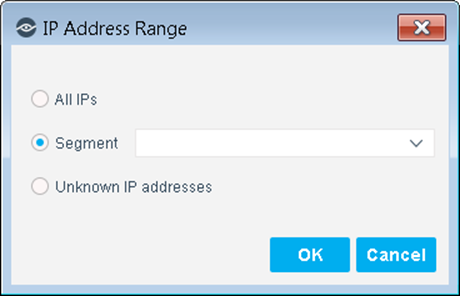
The following options are available:
- All IPs: Include all IP addresses in the Internal Network.
- Segment: Select a previously defined segment of the network. To specify multiple segments, select OK or Cancel to close this dialog box, and then select Segments from the Scope pane.
- Unknown IP addresses: Apply the policy to endpoints whose IP addresses are not known. Endpoint detection is based on the endpoint MAC address.
For more information about the detection of MAC-only endpoints, see Work with Hosts without IPv4 Addresses.
- Select OK.
- Select Advanced to fine-tune the scope. Two options are available:
- Only include some Forescout groups in the inspection. If you select several groups, and an endpoint is detected in at least one, that endpoint is included in the policy inspection.
- Select Add from the Filter by Group area to include only specified Forescout groups in the inspection. These groups must be part of the Internal Range.
The Groups dialog box opens.
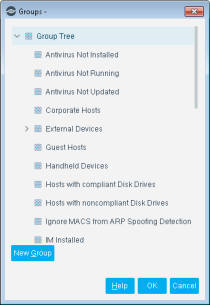
- Select a group.
- Select OK. To create more groups, select New Group.
- Exclude endpoints from inspection. For example, ignore groups of VIP users when conducting inspections.
- Select Add from the Exceptions area, to exclude endpoints from inspection. For example, ignore groups of VIP users from inspections. The Exception Type dialog box opens.
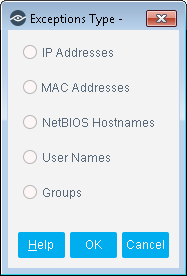
- Select an exception type and then select OK. An Exception dialog box opens. Exception dialog boxes vary depending on the selected exception. In general, you can define a specific exception value, for example, enter a specific user name or use a Property Value List (a user-defined list of property values, such as a list of user names).
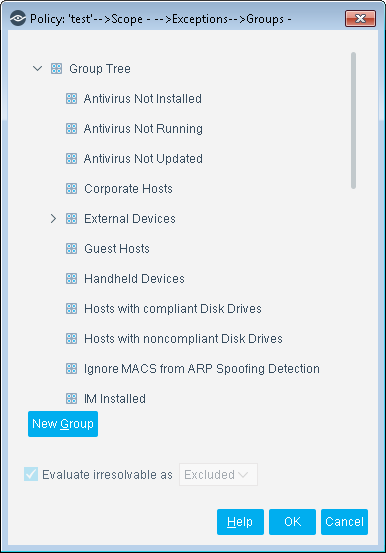
- Select OK.
- Select the Evaluate Irresolvable As checkbox to define how Forescout eyeSight evaluates the endpoint if the exception value cannot be resolved, for example, if eyeSight does not know the user name. Either include the endpoint as an exception, exclude the endpoint as an exception, or mark the endpoint as Irresolvable for the policy.
- After defining each exception, select OK.
- Select Next. The Main Rulep pane opens.
 minute read