Guest Management pane
This section describes guest management activities performed by administrators.
In the Guest Management, Registered Guests tab, administrators can perform the following guest management activities. For more information on how to complete these actions, see Guest Management Pane in the User Directory guide.
- Adding Guests
- Guest Management Pane (User Directory guide).
- Purging Inactive Guests
- Editing Guests
- Generate registration codes. See Retrieving Registration Codes.
- Define tags that sponsors can assign to guests at the portal. See Managing Guest Tags.
- Define a password policy that to be enforced when passwords are system-generated or self-selected by guests for login to the corporate network. See Define a Password Policy.
- Define how certain guest fields are validated. See Define a User Policy.
- Define the corporate sponsors who can use the Guest Management Portal for managing guests. See Create Sponsors.
- Define terms and conditions that reflect your corporate policies and regulations, and require their acceptance by guests accessing your network and by sponsors using the Guest Management Portal. See Define Terms and Conditions.
- Define the way in which the notifies guests about their network access status, and sends their login credentials. Notifications can be sent via email and text messages. See Guest Notifications.
- Define which notifications are emailed to corporate sponsors about their guests' network access status. See Sponsor Notifications.
When you are finished configuring the Guest Management pane, select Apply to save your changes.
The user who works with Guest Registration functionality must have the Plugin Management update permission.
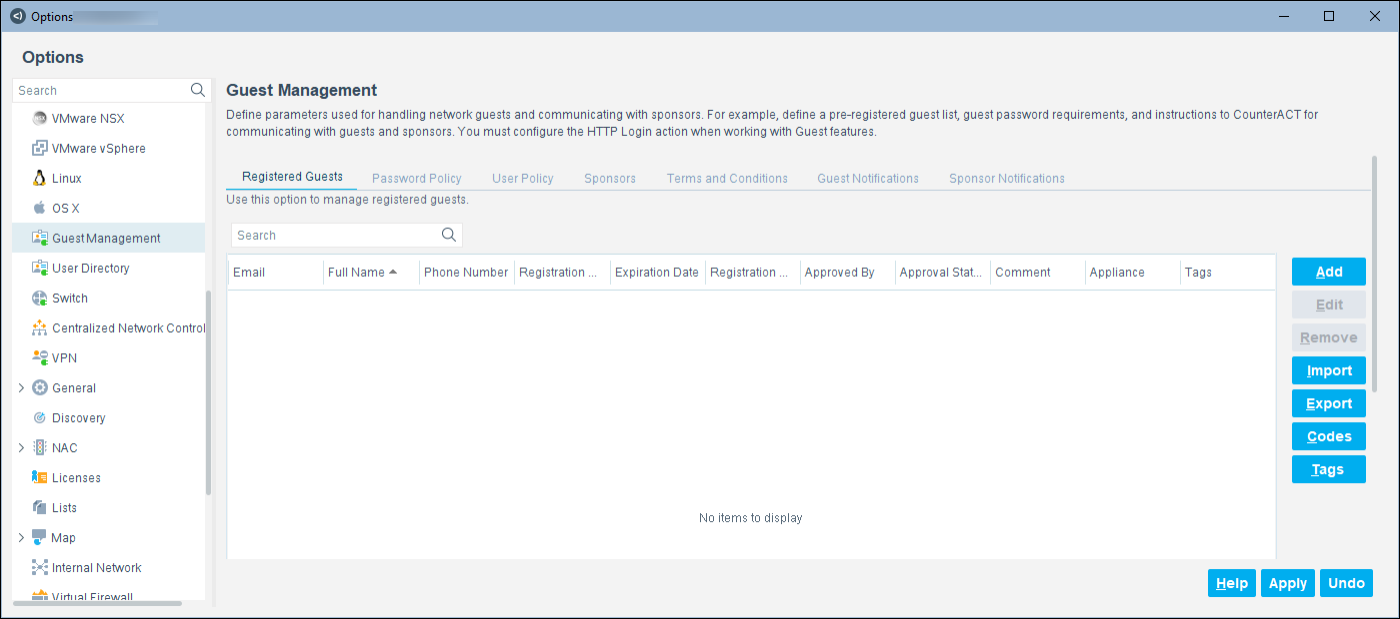
To open the Guest Management pane:
- Select Options from the Console Tools menu and then select Guest Management. The Guest Management pane opens.
 minute read