Guest Management Portal
The Guest Management Portal is a Web-based portal that enables corporate personnel to view and manage network guests who have requested access to the organization's network. When access is approved, guests can browse the network and possibly use other network resources.
Individuals who manage network guests from this portal are referred to as sponsors.
Sponsors can use the Guest Management Portal for various tasks, including:
- Viewing all their sponsored guests.
- Importing lists of guests to be granted network access and adding a single guest. These guests are automatically approved for network access.
- Approving and declining guests who registered for network access using the Guest Registration form.
- Revoking network access to guests who were approved.
- Assigning and updating network access approval periods.
- Assigning tags to guests. Tags can be used in Forescout policies
Sponsors' corporate email addresses must be included in the Sponsors table. If not, they cannot access the Guest Management Portal. See Create Sponsors.
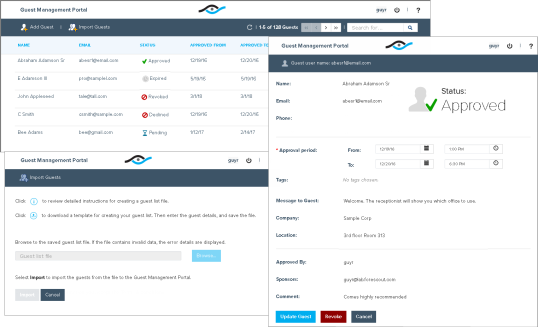
For detailed information about working with the Guest Management Portal, refer to the following documents.
- Guest Management for Forescout Operators How-to Guide.
- Guest Management Portal for Sponsors How-to Guide.
The screens in Guest Management Portal in your organization may differ from the examples shown in this document.
You can localize the strings in the Guest Management Portal.
You can customize the appearance of the Guest Management Portal with the look-and-feel and branding requirements of your organization. For details, see Appendix G: Customizing User Interfaces.
 minute read