Creating an Azure application service
This procedure provides medium-level guidance and assumes familiarity with Microsoft™ Azure™ and Microsoft™ Sentinel™, Administrator-level knowledge and access, and is partly derived from vendor documentation located here:
- In the Azure portal, under the Basics tab, create a name for the new application. This name will be used by Azure to create the HTTP URL of the application.
- For the Publish setting, select Code.
- For the Runtime Stack, select Java 17.
- For the Java Web Server Stack, select Java SE (Embedded Web Server).
- For the Operating System, select Linux.
- Select the preferred Region.
- Select the Pricing Plan - the minimum recommendation is Basic 81.
- Click the Review + Create button.
- Click the Create button to create the service.
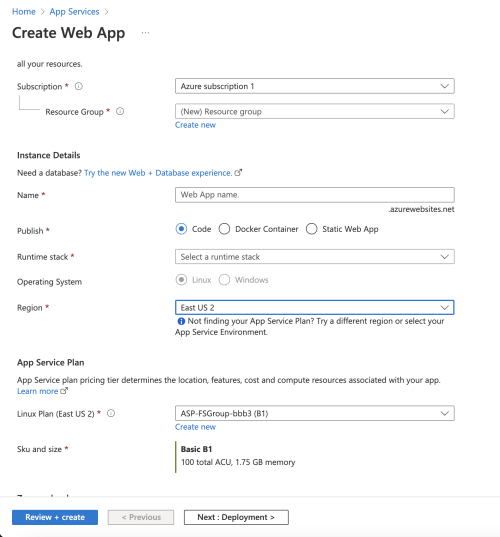
Once the creation process completes, the newly created App Service will be listed on the App Service main.
- Select the newly created App Service.
- Under the Overview pane, click Stop.
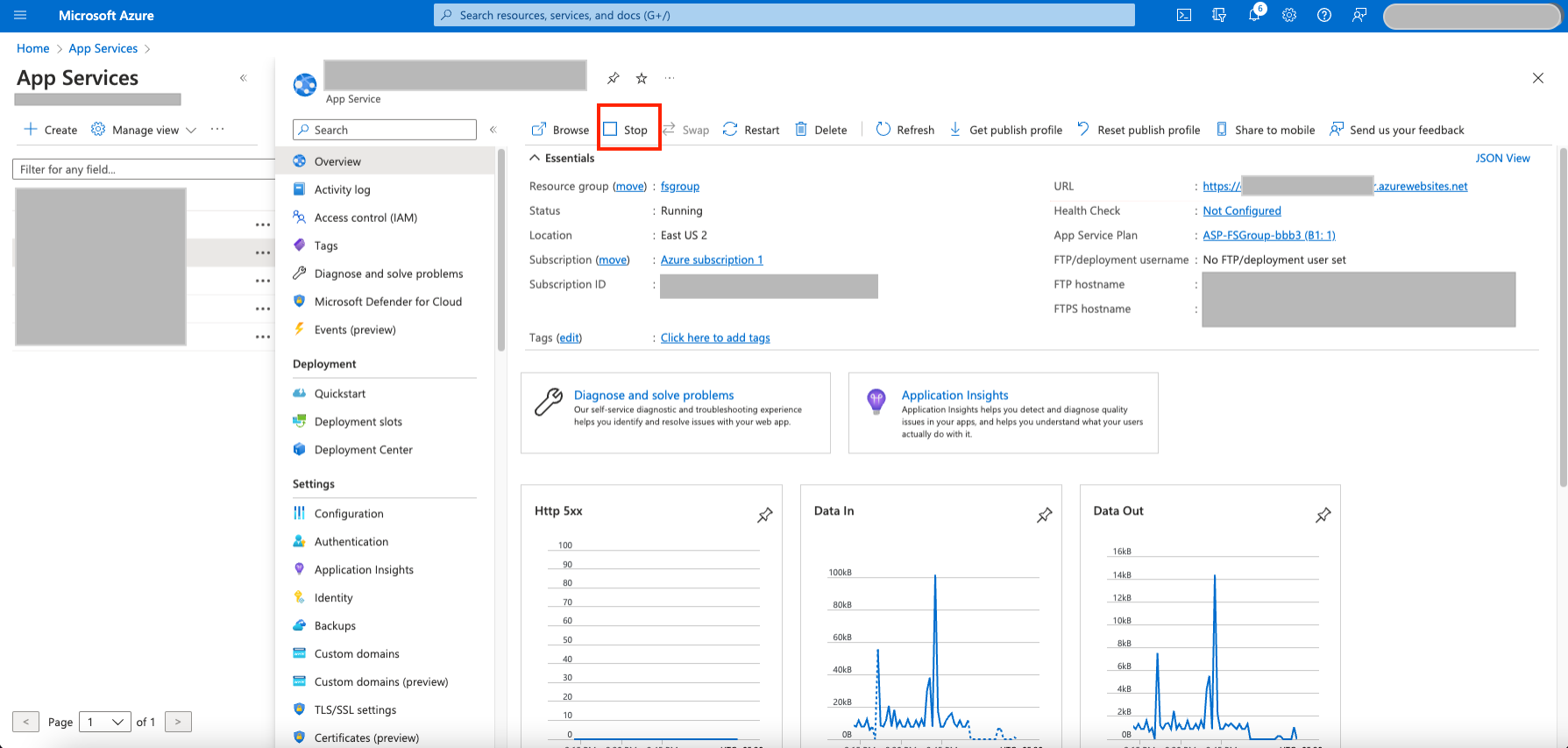
Proceed now to Uploading the Forescout Sentinel DataForwarder Application Package.
 minute read