Add a Forescout eyeSight dashboard to your view
In addition to the OOTB Dashboards provided, you can add custom dashboards to your view to address specific use cases. Dashboard views are customizable for each user.
You can manually add:
- New dashboards that you create. You can populate these dashboards with widgets that you select.
- Public dashboards that were created by other users.
- Health Monitoring Dashboard. Although the widgets in this dashboard are available OOTB (after running Health Monitoring Templates), you must manually add this dashboard to Dashboards view.
- Dashboards that were hidden. See Hide a Dashboard for more information.
There is no limit to the number of dashboards you can add.
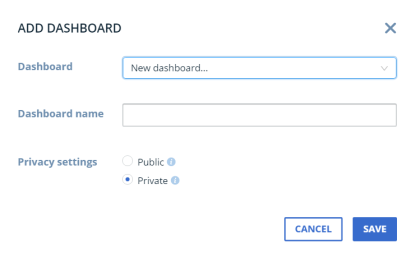
To add a dashboard:
- Select
 from the end of the dashboard tabs.
- In the Add Dashboard dialog box, specify the following options:
DashboardSelect a currently hidden dashboard or a public dashboard created by another user.The user name of the dashboard creator appears in parentheses after the dashboard name. For example, East Coast Compliance (John).Select New Dashboard to create a new dashboard.Dashboard NameIf you are creating a new dashboard, enter the Dashboard name (up to 50 characters).Privacy settingsValid values include:Public: Everyone can add this dashboard to their view.Private (default selection): Only I can see this dashboard.After creation, you can change the privacy of dashboards that you create.
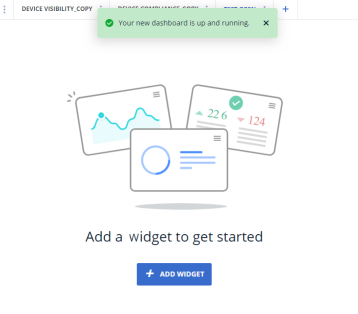
- Select Save. If you created a new dashboard, the board is blank and you are prompted to add a widget to get started.
 minute read