Integration Hub
The Integration Hub provides a single, searchable experience for discovering, installing, and managing integrations in Forescout Cloud.
Key features include:
-
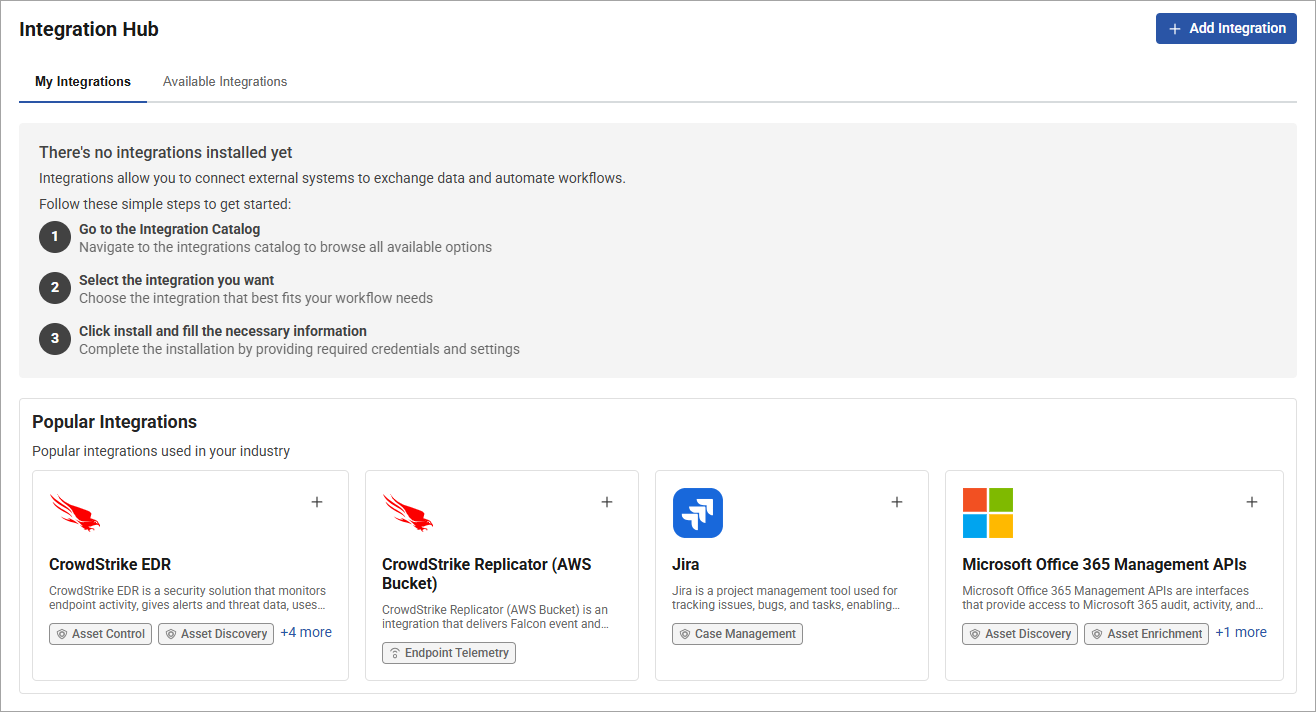
Integration recommendations – When you get started, use the Popular Integrations section to quickly view common integrations used in your industry.
-
My Integrations – Use this page to view your active integrations, check their status, or update settings.
-
Available Integrations – Use this page to explore the catalog and start a new installation.
To use various features of the Integration Hub, an administrator must enable one or more permissions for your role. For more information, see Permissions.
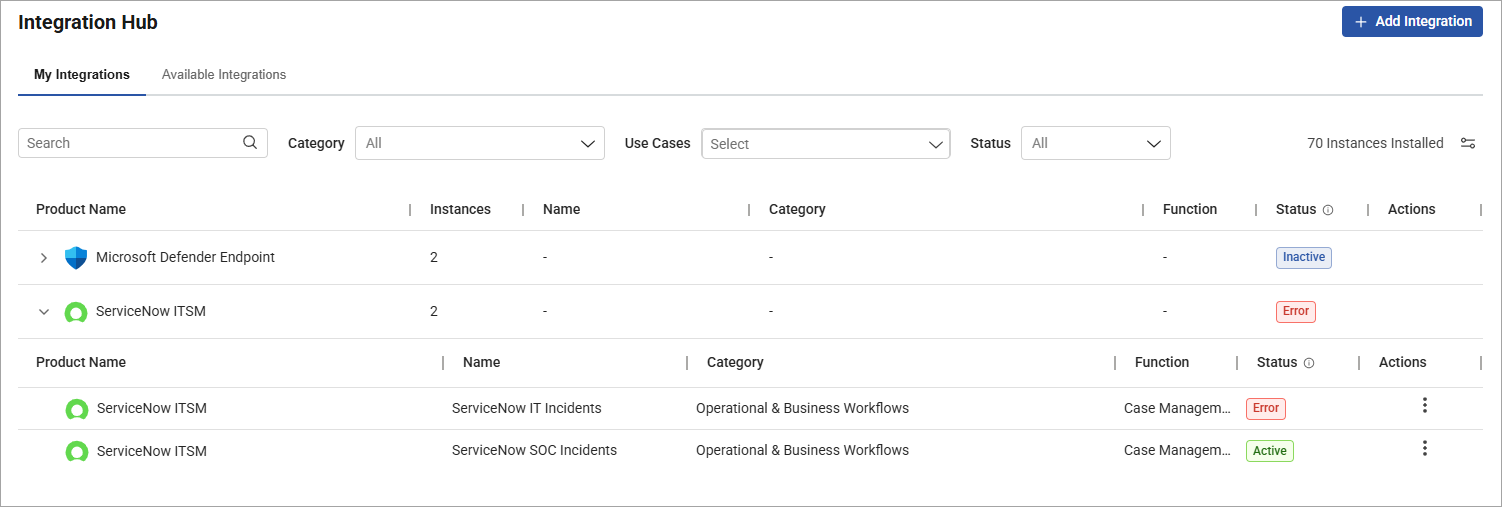
There are several types of integrations available in Forescout Cloud. Many integrations are product-specific and available based on your licenses:
| Use Case Category | Purpose | Primary Products | Existing Integration Type |
|---|---|---|---|
| Asset Discovery & Enrichment | Provides data signals that describe assets within the environment. | eyeScope, eyeFocus, eyeSegment | Data Sources |
| Control & Response Automation | Enables Forescout to take action across the environment. | eyeAlert, eyeSegment, eyeFocus, eyeScope | SOAR |
| Operational & Business Workflows | Connects Forescout findings and actions with enterprise operational systems. | eyeFocus, eyeAlert | Case Management |
| Threat Detection & Investigation | Ingests alerts, logs, and runtime telemetry from security and infrastructure systems. | eyeAlert | Data Sources |
| Compliance & Posture Assessment | Evaluates security control effectiveness and overall security posture using standardized frameworks and computed assessment results. | eyeFocus | Data Sources |
Permissions
To use various features of the Integration Hub, an administrator must enable one or more permissions for your role:
| Permission | Description |
|---|---|
| Enable/Disable SOAR Integration | Allows you to turn configured SOAR integration workflows on or off. |
| Manage Email Alerts | Allows you to manage email-based notification settings. |
| Trigger SOAR Action | Allows you to manually execute SOAR actions against configured integrations. |
| View Integrations | Allows you to view Integration Hub pages and integration details without modifying them. |
| Delete Integration | Allows you to remove existing integration configurations. |
| Create/Edit Integration | Allows you to create new integrations and modify existing integration configurations. |
For more information, see User and permissions management.
Getting started with the Integration Hub
To get started with the Integration Hub, click Administration in the left pane and select Integration Hub. An introductory page opens with instructions for getting started. Under Popular Integrations, you can quickly view common integrations used in your industry, or you can click the Available Integrations tab to search and filter all available integrations.
When you're ready, you can add an integration.
 minute read