What's New in eyeScope v26.2.3
The following enhancements are available in Forescout Cloud as of June 25, 2026.
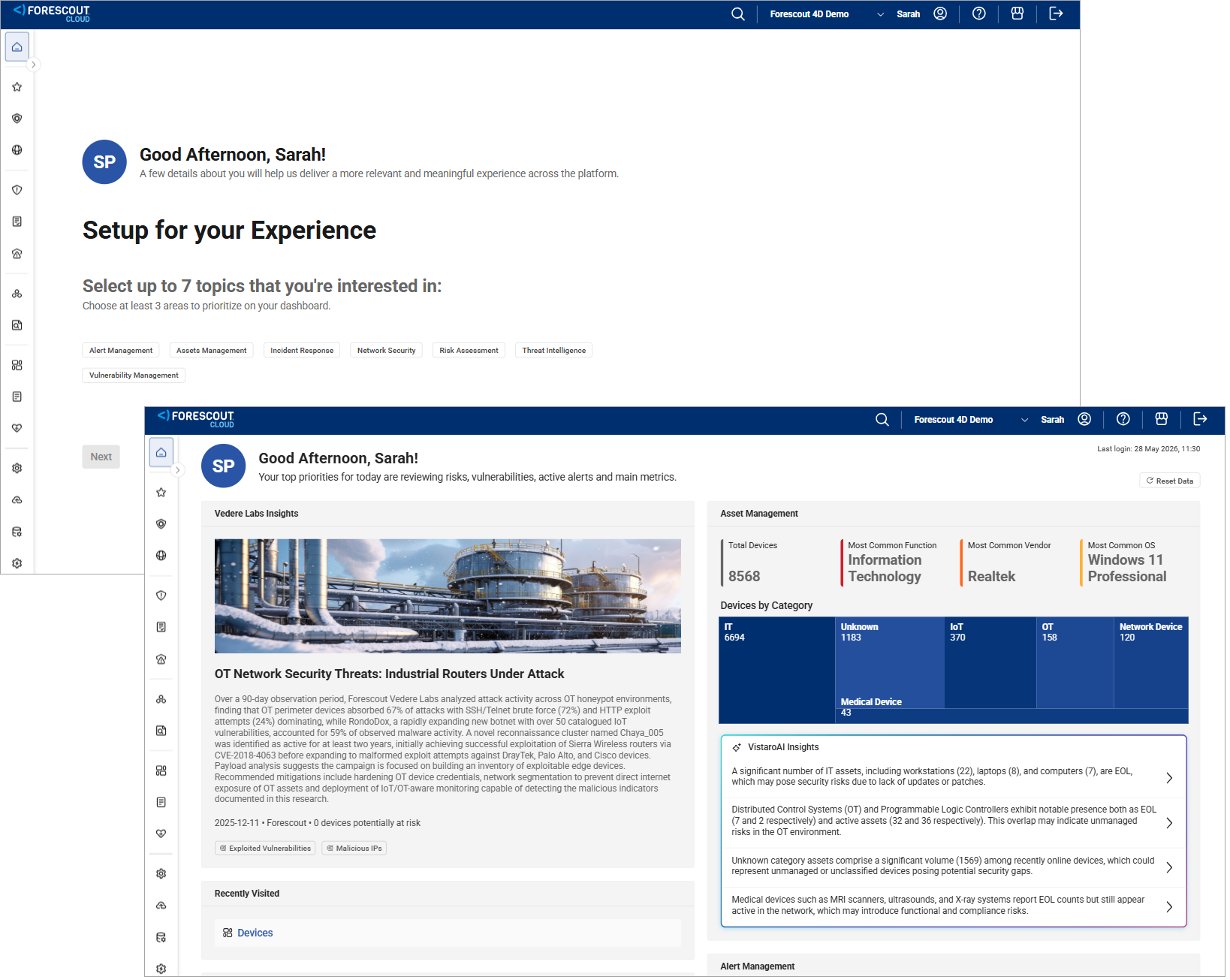
Introducing the My Day Personalized Dashboard
My Day is a personalized dashboard in Forescout Cloud that provides you with key insights and recommended actions based on the most important data impacting your security posture. Powered by Forescout VistaroAI, My Day analyzes real-time data using proven security workflows and presents findings through clear narratives and visuals to help you quickly identify threats. You can act on these insights by creating cases, labeling assets, or continuing investigations. You can also customize the dashboard to focus on relevant areas, such as risk, vulnerabilities, and network activity, to prioritize your work and respond efficiently.
My Day is available in US and Canada regions starting with release 26.2.3 on June 25, 2026. UK, Australia, and Germany regions will follow in the coming weeks.
For information on setting up and using My Day, see My Day Personalized Security Dashboard.
Introducing the Integration Hub
The new Integration Hub aggregates all Forescout integration types into a single, searchable interface. Forescout Cloud administrators can now see all of their Forescout integrations from one place, rather than having to hunt the information down across multiple different pages. This improves your efficiency in finding your integrations, and more importantly, any errors or attention states that may arise. The Integration Hub provides a scalable foundation for your future integration life-cycles and marketplace capabilities.
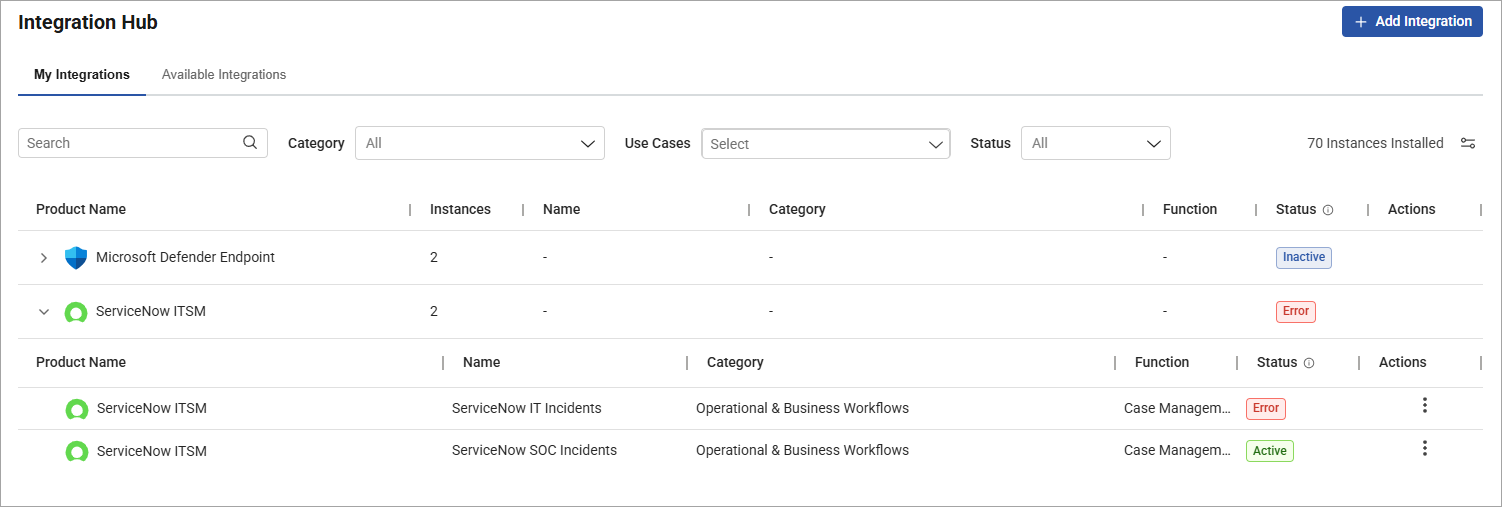
Your integrations are group by category, providing a consistent model for classifying integrations by function, rather than just vendor type. The Integration Hub is also tenant-aware, providing visibility based on your licensed product(s). It's also backwards compatible, perfect for existing clients with installed integrations and custom roles.
Integration Types and Availability
The new Integration Hub supports several configurable integration types, including Data Sources, Case Management, and SOAR integrations. Additionally, you have access to more than 200 integrations in the Available Integrations tab.
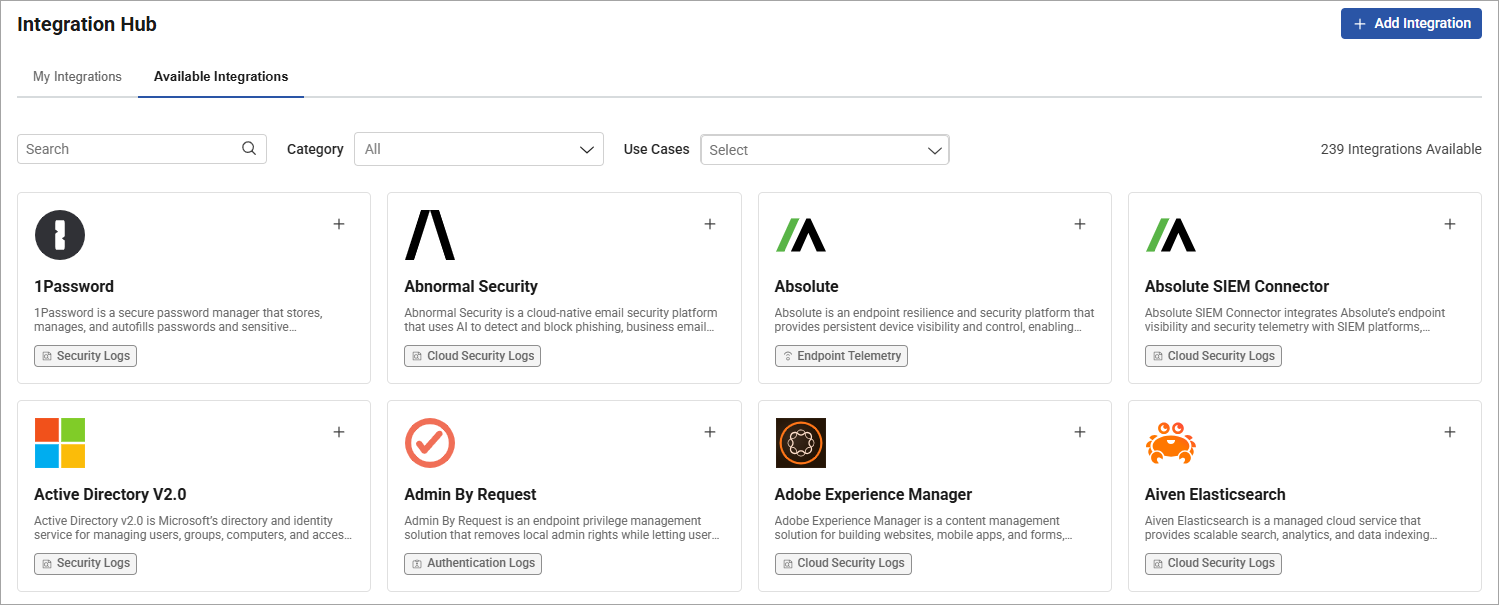
The integration type you can implement depends on your instance of Forescout Cloud. For example, SOAR integrations are available across eyeAlert, eyeFocus, eyeSegment, and eyeScope. However, Case Management integrations are only available for eyeAlert and eyeFocus. For more information, see Integration Hub.
New Active Asset Filter
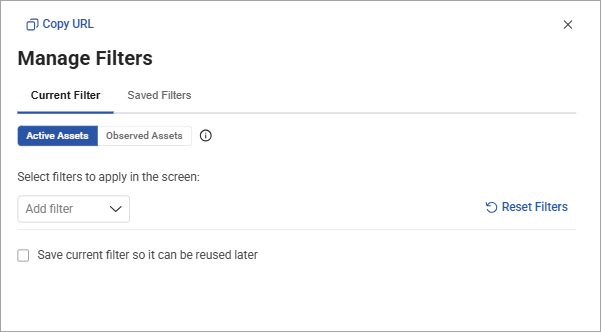
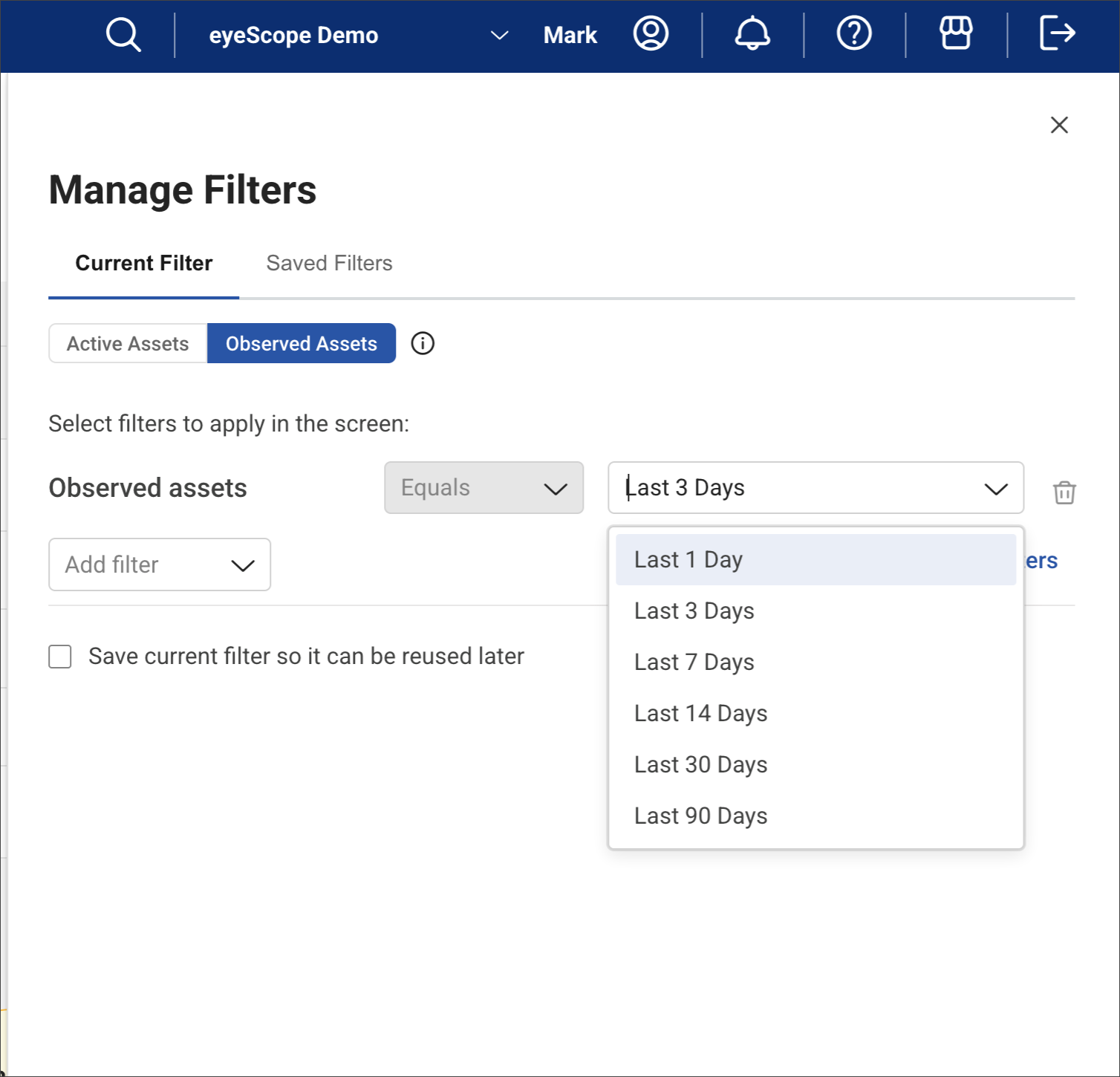
You can now filter between active assets and observed assets to differentiate numbers across dashboards and create more transparency into your asset count. Active assets are unique assets observed at least once in the last seven full calendar days, and observed assets are unique assets seen online at least once within a selected time window.
Asset Data Source Transparency
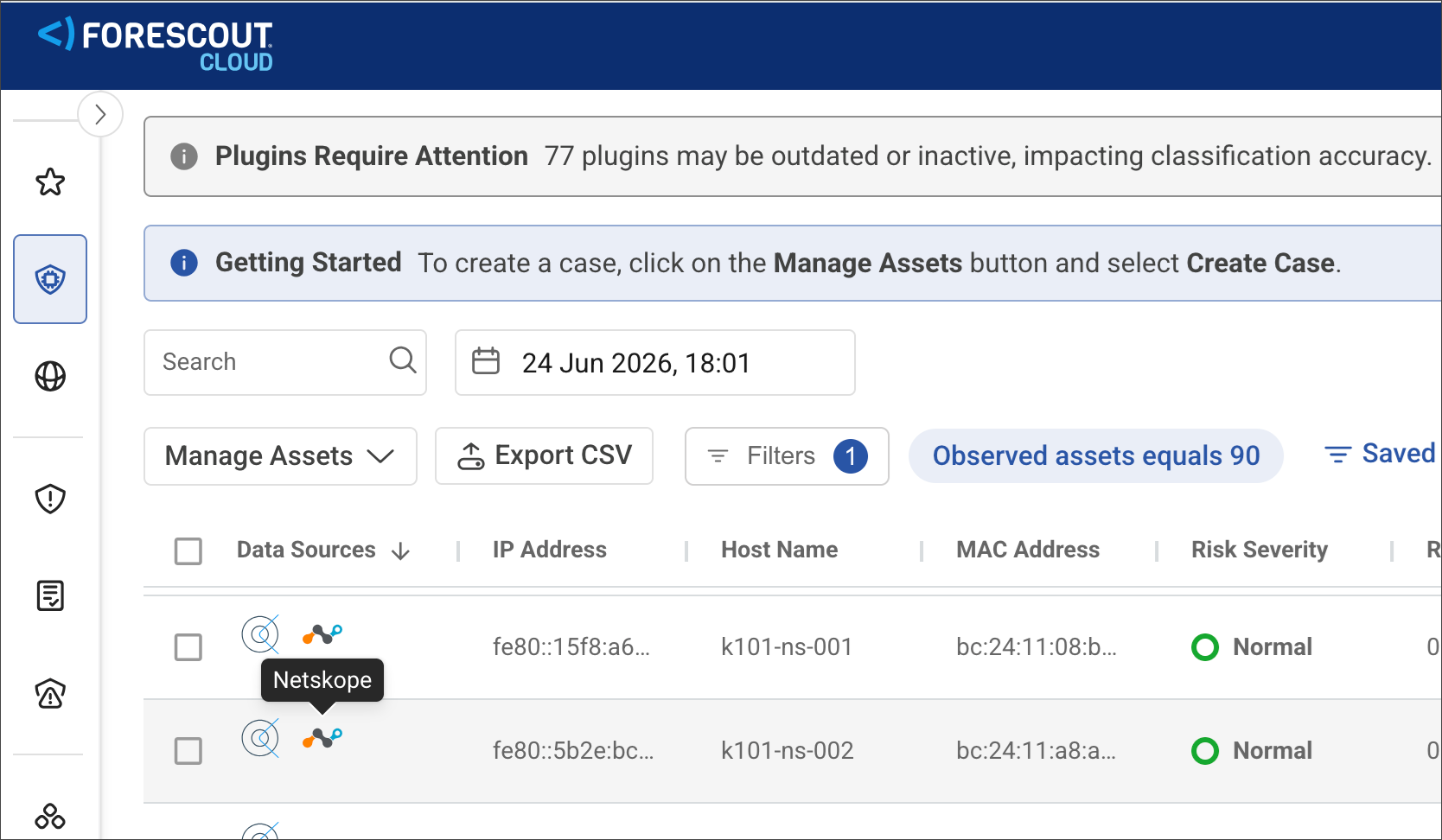
You can now see which data sources contributed to each asset's discovery and enrichment directly in eyeFocus. Source logos and badges appear in the inventory grid, and a new Data Sources tab on the Asset Detail view shows the specific properties contributed by each source, such as eyeSight, CrowdStrike, or Netskope. This gives analysts full visibility into where asset data originates, making it easier to validate attributes and discovery via third-party data sources.
Asset Deletion is Now Part of Asset Management
Authorized users can now delete one or more assets directly from the expanded asset view to improve data quality and reduce operational load by empowering Forescout administrators. After you delete an asset, the asset and its data are permanently removed from Forescout Cloud. If the asset is detected in the future, Forescout Cloud will automatically add it back to your account. Your administrator can manage who has access to this feature using role-based access control (RBAC) in the Asset Management and Monitoring category.
90-day Asset History and Timeline Navigation Improvements
eyeScope now retains up to 90 days of asset history, giving users significantly more visibility into how assets have changed over time. A date picker on the Assets and Asset Details pages lets users view asset data from any point within the past 90 days. A new Asset Timeline tab on the Asset Details page visualizes property change events over time, enabling users to quickly identify when and why asset changes occurred and navigate directly to that moment.
Interactive Drill-Down for Custom Dashboard Widgets
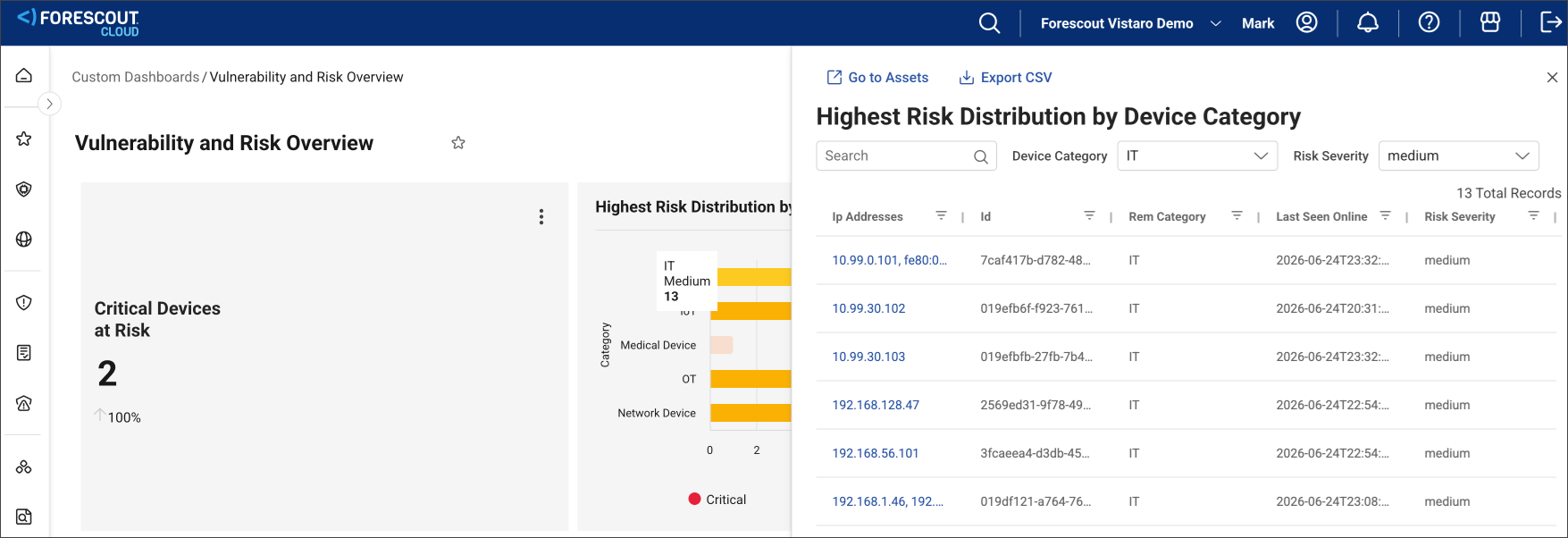
Custom visualizations on dashboards now support full interactivity. Clicking on a custom widget created from an Xplorer query opens a detail drawer displaying a filtered list of matching assets in a tabular view with pagination. This enables users to drill down directly from their custom dashboards to investigate and action risk, threat, compliance, or operational gaps, without needing to navigate back to Xplorer separately.
Xplorer Advanced Query Enhancements
The Xplorer Advanced Query experience has been improved to make it easier for users to search, explore, and investigate data across Forescout Cloud. These improvements simplify how nested and complex data fields are queried and adds intelligent editing assistance.
-
Nested Field Simplification: You can now reference nested fields using dot notation (for example, open_ports.port, open_ports.protocol) instead of writing complext KQL with JSON parsing functions. IntelliSense auto-suggest sub-columns when a dot is typed across all tables, including Assets, Logs, Cases, and more.
-
Data List Syntax Shortcuts: When filtering on list type fields, you no longer need to know whether a field is a list or a scalar. Using == on a list field automatically behaves as a Contains check, eliminating a common source of confusion and failed queries.
-
Smarter Query Editing: The query editor has been improved to make the following functions that much easier to use:
-
Pipe on New Line: Pressing ENTER in multi-line queries automatically inserts the | pipe character, making it more seamless to write multi-step queries.
-
Line Numbers: The query editor now shows line numbers, making it easier to reference and debug longer queries.
-
Enter Key Fix: Selecting an IntelliSense suggestion with ENTER no longer accidentally executes the query mid-edit.
-
Column Type Indicators: The query editor now shows whether a column is scalar or dynamic, helping guide you to structure your query correctly.
-
Questions?
If you have any questions about these features, contact your Forescout Sales Representative or Forescout Customer Support using the Forescout Customer Support Portal.
 minute read